
Start with a realistic security objective
A practical account security objective is to keep credentials private, preserve legitimate recovery options, and recognize when a request exceeds the authority of the person making it. No single password choice can establish that an entire platform is trustworthy. Equally, a polished website cannot compensate for a credential copied into a public chat. Focus on the decisions you can control while evaluating the service itself separately.
This informational guide discusses general password and recovery habits for readers researching BDG Win account access. Current operator-specific authentication, device management, and recovery features have not been independently verified. References to optional controls are conditional, and no claim is made that this service offers them. The article does not recommend registration, financial participation, or a software download. Its purpose is to help an existing account holder understand credentials and support requests without exposing more information than the task requires. Good security habits should make the account record clearer, not create a complicated ritual that nobody can maintain.
Separate three kinds of information
An identifier points to an account, a credential helps authenticate access, and evidence may help a legitimate operator investigate ownership. A phone number or email address can be an identifier. A password or an active authentication code can be a credential. A dated account reference or a redacted error image may be evidence. These categories should not be mixed merely because all three can appear in a support conversation.
A person who needs to understand an error may need its wording and context, but not your password. A publisher discussing a referral link may need the page address, but not an authentication message from your phone. An ownership review may require more information, yet the recipient and purpose should be established before it is sent. Labelling each requested item by its role helps you ask a simple question: does this person need this information for the task they are authorized to perform? If the answer is unclear, pause rather than treating every request as routine.
Use a password unique to the account
A unique password limits the relationship between one account and another. If a value is reused across services, an exposure at one destination creates a concern elsewhere. The important habit is not adding the brand name to a familiar base word; that produces related credentials rather than a genuinely independent record. Use a method you trust to create and retain a distinct value for each account.
Google's general security guidance recommends strong, unique passwords and keeping software current. Those recommendations provide useful background, but they do not establish any particular platform's internal protections or password requirements. Read the current form's documented restrictions where available. If a generated value does not fit, clarify the accepted format without revealing the proposed password. Do not let an unexplained rejection push you toward an obvious personal detail. The goal is a credential that satisfies the actual interface while remaining private and distinct from the passwords protecting your mailbox, financial accounts, and other important services.
Avoid personal clues as a memory system
A password built from a birthday, a phone number, a familiar name, or a public interest may feel easy to remember because it is closely connected to you. That same connection can make the choice less private. Consider what another person could learn from ordinary conversation or a public profile before treating a personal clue as secret.
Do not publish hints about a password in an account note or use a security question answer that you also share casually. This guide does not verify whether any particular question system exists on the service; the broader point is to avoid turning public biography into an access secret. If memory is the only way you retain credentials, investigate a trusted storage method before the next password change. A sustainable system should not require reusing one value everywhere or making every credential a predictable variation. Reducing memory pressure is useful when it helps you keep records accurate without spreading passwords into unsuitable locations.
Choose storage before the next reset
A password needs an appropriate home. Decide where the current credential will be stored before replacing it, then associate it with the correct destination and identifier. If you use a password manager, understand how you access that manager and how its own recovery works. If you use an offline record, keep it in a private place suitable for sensitive information.
Avoid scattering copies across screenshots, chat drafts, downloads, and general notes. The more copies you create, the harder it becomes to know which one is current and who may see it. A support ticket should record that a password was changed, not the value of the replacement. A general account note can point to the storage method without duplicating the secret. This separation is practical: the note helps you find the record, while the trusted storage method controls access to the credential. A good system remains understandable after months away from the account and after an ordinary device change.
Understand what password autofill can tell you
Autofill is a convenience and a useful signal about the saved association between a credential and a destination. Chrome explains that its password manager matches passwords with the websites for which they are intended, helping protect against lookalike pages. That does not mean every missing suggestion is evidence of fraud, or that every displayed suggestion proves the entire service is reliable.
If a familiar credential does not appear on a new page, inspect the destination and the saved entry before manually copying the value. The mismatch may reflect an old record, an interface issue, or an unfamiliar host that deserves investigation. Do not solve an unexplained destination mismatch by exporting passwords and pasting them into several pages. Review the manager's own current guidance if its behavior is unclear. The useful habit is to treat autofill as part of the evidence, not as an infallible judge. It can prompt a careful check while the final decision still depends on the account and destination you have established.
Keep a device lock in the security picture
An account credential is only one part of the environment in which access happens. A device left open can expose an authenticated session, messages, screenshots, and saved account information. Google includes page locks in its general account security advice. The appropriate setup for your device should follow the manufacturer's current guidance and your own accessibility needs.
Think about where the device is used and who else can reach it. A personal phone shared casually for a short task may still display private notifications or account suggestions. When helping someone read a form, keep the account owner's credentials and messages out of view. If you use a public or shared computer, consider the consequences of saved sessions and remembered details before selecting convenience controls. Closing a tab is not necessarily the same as signing out. Where the service provides a sign out control, use it deliberately and understand the limits of what that action confirms. Device access and account access should both remain under appropriate control.
Treat temporary codes as credentials
A short-lived code can authorize a sensitive action even though it is not the usual password. If a legitimate process uses one, enter it only into the intended page for the action you initiated. Do not read it to a person who calls or messages separately claiming to help. An unexpected code should prompt a review of context, not automatic use of the link inside the message.
If several requests overlap, follow the current process rather than guessing which code applies. This article does not establish validity periods or resend rules for the platform. Keep the secret out of support screenshots and timelines. Record that a request was made and whether delivery occurred, while omitting the value itself. A helper can understand a delivery issue from the timing and the visible response. They do not need the active code to explain what you should check. Clear boundaries around temporary credentials are especially important when the conversation began with an unrelated public referral number and gradually shifted toward account access.
Distinguish recovery planning from recovery improvisation
Planning means understanding the documented process while you still control the relevant contact methods. Improvisation often begins after a number is lost or a mailbox closes, when urgency makes an unofficial promise seem attractive. Reduce that pressure by knowing which identifier belongs to the account and what channels the operator actually recognizes.
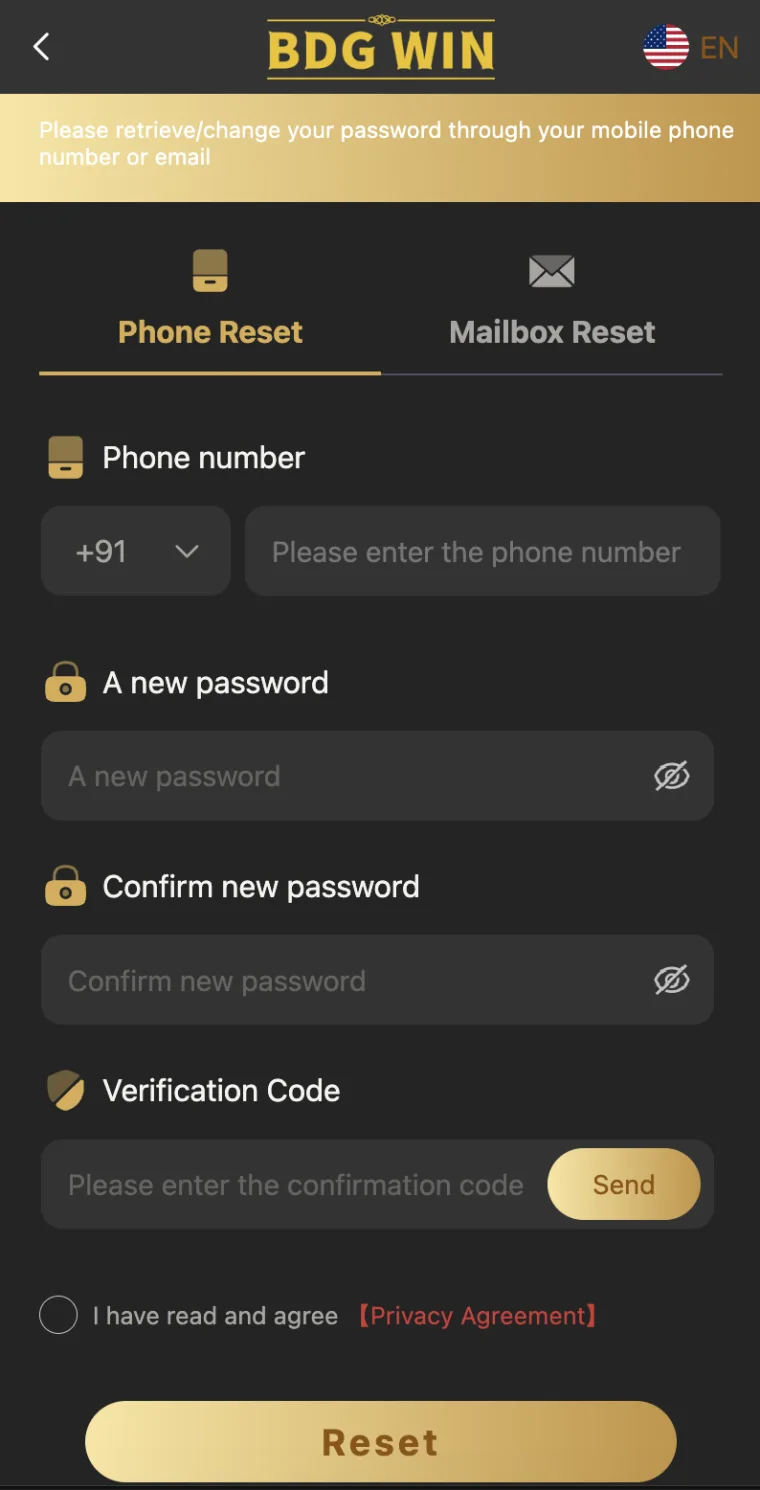
Do not assume a backup exists because the login page has two tabs. Do not assume adding a number to your email provider updates a separate account. Each service maintains its own record. If the operator offers a documented contact-change process, read it before a planned transition and preserve the nonsecret confirmation. If no intelligible process can be found, record that limitation. A realistic plan admits where recovery is uncertain rather than treating every obstacle as something a clever helper can bypass. The objective is legitimate continuity of access, not a collection of speculative workarounds that rely on other people's devices or identities.
Give the recovery mailbox its own attention
A mailbox used for account recovery can become a dependency for several other services. Protect it through its own provider's legitimate security and recovery settings. Do not reuse the same password across the mailbox and the account that depends on it. Keep its contact information accurate through the provider's actual controls rather than assuming that a change elsewhere will propagate.
If you lose access to the mailbox, use the email provider's own recovery route. A third-party affiliate is not automatically entitled to inspect the inbox or receive all of its messages. Avoid granting broad access merely to find one missing reset message. The mailbox may contain unrelated personal information and other account links. If a support process asks you to forward a message, review whether it contains active secrets or links before sending it. A focused recovery inquiry should expose only what is necessary. Recognizing the mailbox as a separate account helps prevent one access problem from spreading into a much wider disclosure.
Evaluate support by its authority and request
A support identity should be evaluated through a channel you can independently establish, not solely through a logo or a familiar display name. Once the channel is established, still examine what is requested and why. A legitimate conversation should remain tied to a specific account issue and a documented process. Vague authority claims do not explain a need for passwords, remote control, or an active code.
A publisher can answer questions about its own article or link. That does not establish account administration rights. A person who helped before does not automatically retain permission to access the account now. Ask what information is required, what purpose it serves, and where it should be submitted. If the conversation changes to an unrelated personal account or a request for payment to reveal a credential, pause and verify independently. Good security habits do not require assuming every helper is dishonest; they require keeping the scope of help clear enough that sensitive access is not handed over by accident.
Respond to a suspected exposure in order
If you believe a password was entered on an untrustworthy page, first stop using that page and preserve a nonsecret record of what happened. Identify which credential was involved and whether it was reused elsewhere. Review the affected accounts through destinations you can establish independently, prioritizing important dependencies such as a recovery mailbox. Do not continue testing the exposed value on more pages.
Use each service's legitimate change or recovery process and update your private records afterward. If you shared a temporary code, record the time and the action it appeared to relate to without distributing the code further. Ask the identified operator what account review is appropriate. This article cannot promise that a password change reverses every possible action or ends all existing sessions. Where device or session controls are available, read their actual descriptions. A response plan should separate what you know was exposed from what you fear may have happened, while taking the known exposure seriously enough to act through proper channels.
Do not assume a reset ends every session
Changing a password and terminating an existing session are conceptually different actions. The current service's behavior must be established through its documentation or verified support. If the account interface offers a session review or a sign out of other devices control, read what it does before using it. Do not invent such a feature because another provider offers one.
When a reset follows an ordinary memory lapse, the session question may be less urgent than when the credential was exposed. In either case, a precise support question is more useful than a vague request to make the account safe: does replacing the password invalidate existing sessions, and what documented action reviews or ends other access? Preserve the answer with the account record. If the operator cannot explain the behavior, record the uncertainty rather than accepting a stranger's offer of a hidden security tool. Security depends on understandable controls and appropriate authority, not on paying someone who claims special access to functions the service does not document.
Keep identity evidence out of casual troubleshooting
An ownership review may involve information beyond an ordinary error report, but the need should be explained by the verified process. Do not send identity documents in an initial conversation merely to make the request seem serious. Start with a concise chronology, the relevant nonsecret account reference, and the exact issue. Ask what additional evidence is required and how it will be handled.
Before providing a document, evaluate the recipient, purpose, transmission channel, and any guidance about limiting unnecessary information. Do not send material to an affiliate because it says it can pass it along. Every additional recipient increases the number of places holding the data. If the process is unclear, stop and ask for clarification. An account security task should reduce uncertainty, not create an untracked collection of identity files in private chats. Keep a record of what you submitted and why, without retaining redundant copies in shared folders or public photo albums.
Manage screenshots and recordings deliberately
Screenshots can capture more than the problem you intended to show: phone numbers, notification previews, visible passwords, personal tabs, or account balances. Before sharing an image, inspect the whole frame and remove information unrelated to the question. Keep the error wording and the relevant label visible so the evidence remains useful after redaction.
A page recording deserves the same review, especially if other applications or notifications appear during it. Do not record a live authentication code to prove it arrived. A written delivery timeline can often answer the same support question with less exposure. Preserve a private original only when there is a clear reason and an appropriate storage location. After the case is resolved, review which copies still need to exist. Good evidence management is not about collecting the largest possible archive. It is about retaining enough accurate context to explain the issue while avoiding a second problem caused by unnecessary distribution of sensitive information.
Recognize the limits of security labels
Words such as secure, verified, encrypted, or official can sound conclusive when displayed beside a button. Ask which specific property the label claims and what evidence supports it. A protected connection is not the same question as the operator's identity. A unique password is not proof of fair account handling. A device scan is not a guarantee about a business relationship.
Avoid treating one favorable signal as permission to ignore every other question. Evaluate the destination, the recipient of personal data, the account rules, and the requests made during support separately. This guide does not certify a platform or claim personal testing. Its recommendations concern habits a reader can apply while deciding what the available evidence establishes. If a site uses a security phrase without explanation, that phrase remains a claim to investigate. Clear, limited statements are more useful than a broad badge because they tell you exactly what has been checked and what remains outside the check.
A security example focused on scope
Dev receives a private message from someone using a familiar brand logo. The person says a login issue can be fixed by reading out a code from Dev's phone. Dev had been discussing an invitation number earlier, so the request initially sounds like a continuation of that topic. He pauses and asks which action the new code authorizes and what account administration authority the person has.
Instead of sharing it, he returns to an independently established support route and describes the request without including the secret. If he already revealed a reused password, he reviews the affected accounts through their legitimate processes and updates his records. The example illustrates a common boundary problem: public referral information and private authentication credentials can be discussed in similar language while carrying very different consequences. The useful skill is recognizing the change in scope. A person explaining a field does not automatically gain permission to complete account actions, inspect a mailbox, or control a device.
Build a small security record you can maintain
A maintainable record identifies the account, its confirmed identifier, the credential storage location, and the date of significant legitimate changes. It can also record unresolved questions about recovery or session behavior. Keep the secret itself in the appropriate protected storage method rather than duplicating it in every note. Mark obsolete information clearly so it does not become the next failed login attempt.
Review the record when a device or contact method changes, after a genuine recovery event, or when new evidence raises a concern. There is no need to perform dramatic account changes merely to create the feeling of activity. The purpose is continuity and clarity. A good record helps you answer what belongs to you, which channel you control, and what process you used. It also helps you recognize an unsupported request quickly. Password security is most useful when it becomes a few consistent habits rather than a complicated checklist that is abandoned as soon as the immediate login problem ends.
A clear stopping rule for sensitive requests
Stop when the next requested action is not explained, the recipient cannot be established, or the task expands from advice into account control without your informed decision. Stop before sending a password, an active code, or unrelated identity material to an unverified contact. Stop when someone presents payment, secrecy, or urgency as a substitute for a documented process.
A pause does not prevent legitimate help. It creates space to ask a narrower question through the right channel. You can preserve the issue, explain the evidence, and request clarification without delegating access. The intended result of this guide is a clearer boundary around the information and devices you control. A unique credential, appropriate storage, an accurate account record, and careful recovery channels are useful habits, but they do not remove the need to evaluate the service itself. Keep those judgments separate and make only the claims the available evidence supports.
Keep the explanation understandable to another trusted person
If you need help during an emergency, a trusted person should be able to understand where the account record is and which support route you established without receiving unrestricted access to every credential you hold. Think about that distinction while organizing your records. A clear instruction about whom to contact is different from a document exposing all passwords.
Review any emergency arrangement with the people actually involved and the tools you use. Do not assume that a casual conversation authorizes future account access. The same principle applies during ordinary troubleshooting: define the help required, keep its scope narrow, and preserve the account owner's control wherever possible.